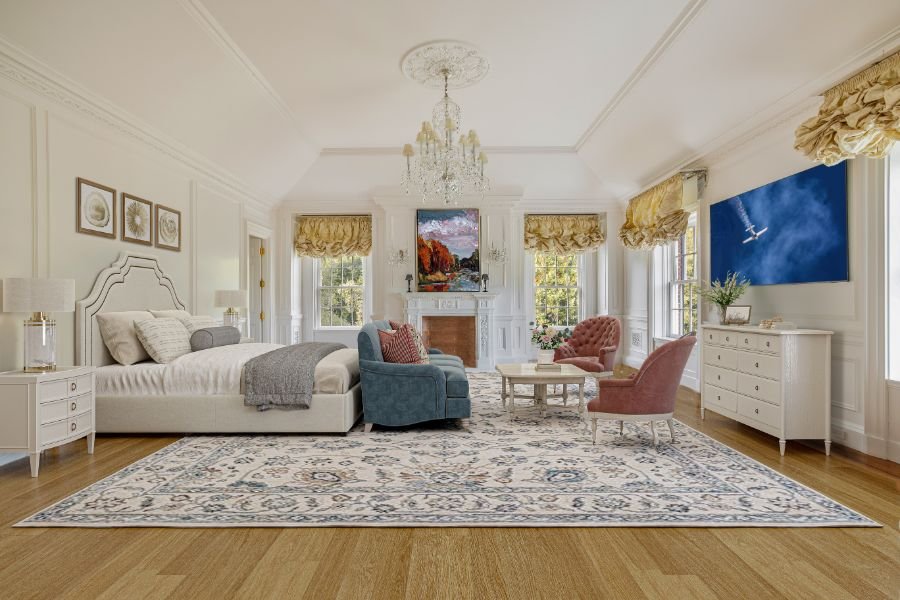
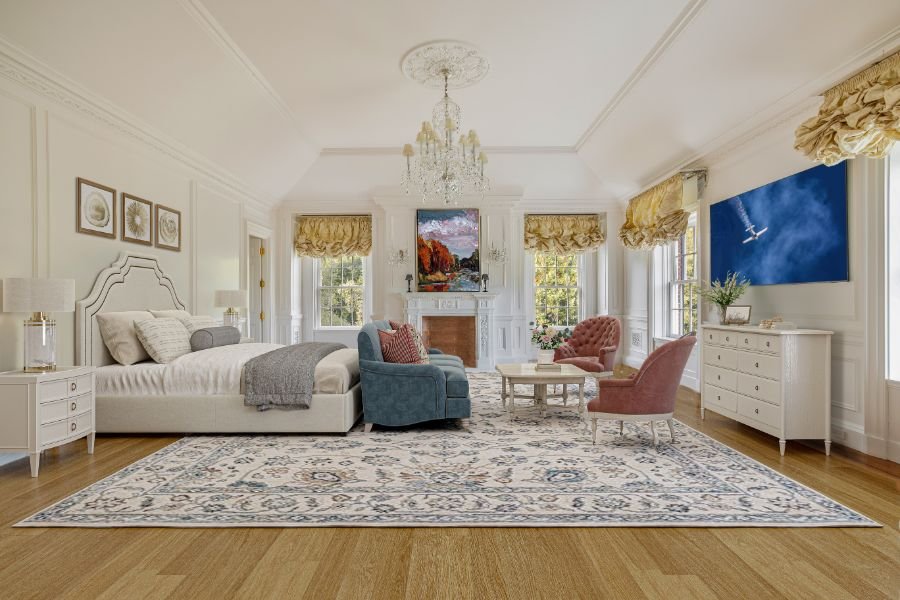
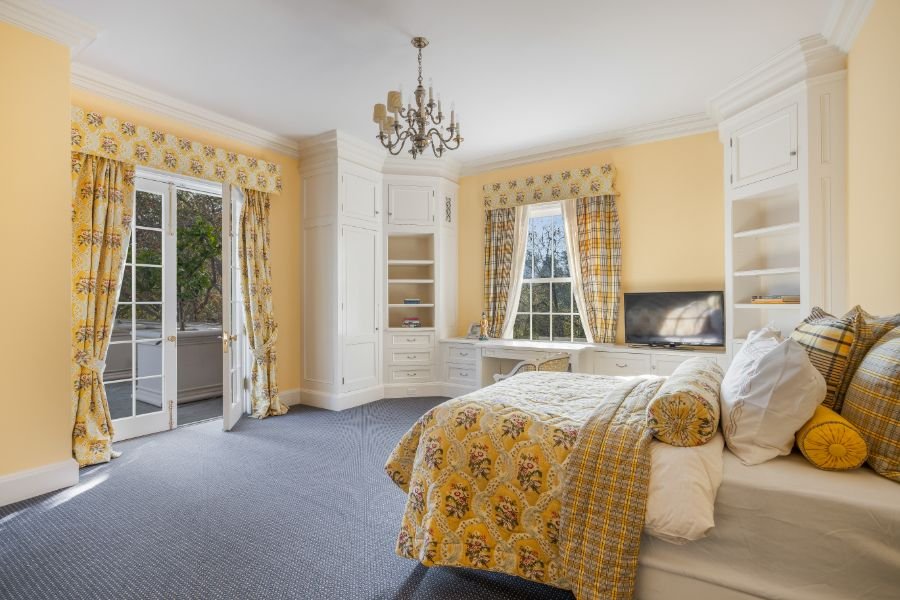
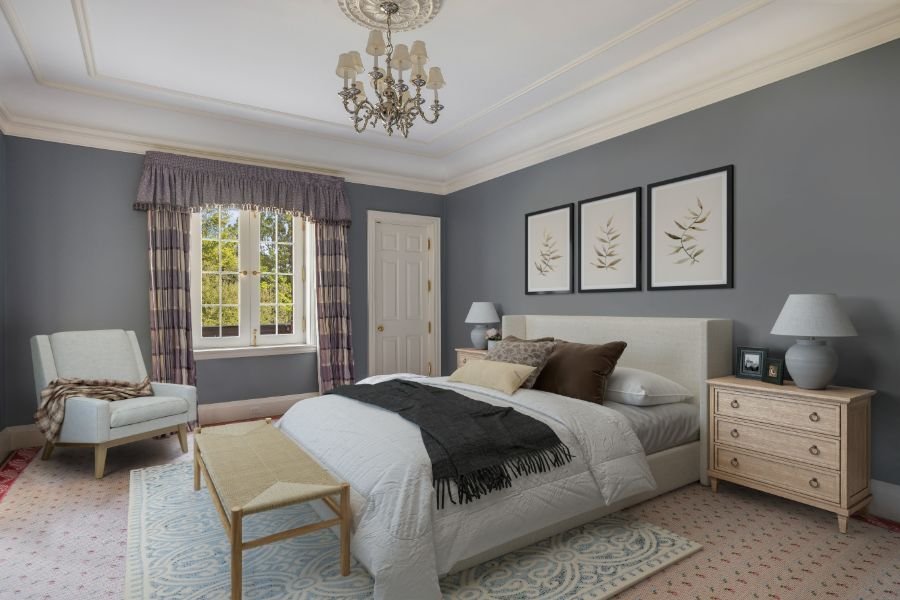
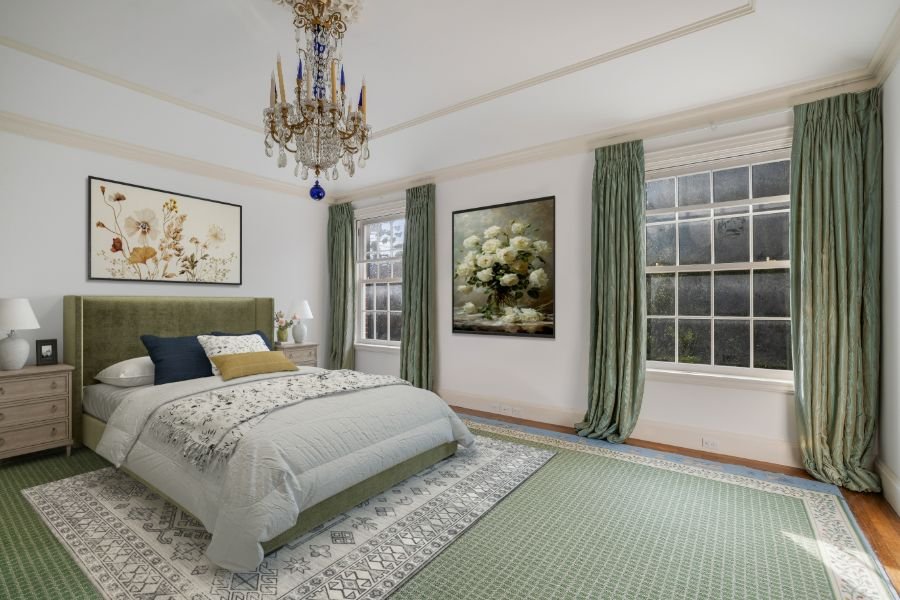
R-023 / Primary Bedroom / White Suite Bedroom
The main suite: white bedroom, fireplace, dressing room, and marble bath.

Meet your Rosewood host
Primary Suite is handled like a private estate stay: the room page helps guests choose, then admin review protects access, service, and house context.
Every hold routes through a passkey admin before arrival details are released.
Guest hub carries WiFi, house requests, room names, and setup notes after approval.
5 source-backed views from RB-24, RB-25, RB-26, RB-27.

Guest guidebook preview
A shareable scan of arrival, suite setup, WiFi hub, and release rules that keeps the room page useful before the stay packet is approved.
Use this for rideshare and house-manager coordination before the private gate handoff.
1 king; Primary marble bath; planned for up to 2 guests with luggage and linen routing attached.
WiFi QR, house requests, room notes, and stay updates move through the in-house guest hub after release.
Private by default; admin release required. Gate, keys, WiFi, and room handoff wait for passkey admin approval.
Private arrival details stay behind admin release until Rosewood approves the hold.
Family welcome
Rosewood is a family-and-friends stay hub: share the room and arrival shape, then keep gate, keys, WiFi, and house instructions behind admin release.
A warm Rosewood invitation for family or close friends staying in Primary Suite.
Suite page, dates, arrival window, service preference, and the guest hub link can be copied without gate details.
Gate, keys, WiFi, and private house instructions stay with passkey admin until the hold is approved.
Once inside, the guest hub carries WiFi, room notes, service requests, house manual, and departure checklist.
Use this as the default family invite framing before sending a suite link.
Room source dossier
A quick audit layer for the suite name, listing/Jess refs, local photo coverage, and admin release state before the room is shown or handed off.
Primary refs: RB-24, RB-25, RB-26, RB-27.
4 listing refs and 0 Jess/photo-thread refs are attached to this room.
5 local images are available across hero and gallery, with duplicates removed for this count.
Private / Private by default; admin release required. Admin note: Mapped from Rooms R-023 through R-025.
Use this before moving a suite from setup/private/survey into guest-ready release.
Shown as a complete suite because guests and staff need a clear reference, but marked private by default. It anchors the bedroom index and gives the admin dashboard a clean way to release or block it later.
Stay signals
Fireplace bedroom
Primary marble bath. Up to 2 guests.
Foyer handoff, keys, WiFi, and room routing stay tied to this suite.
Complimentary holds stay private until a Rosewood admin reviews the request.
Where you'll sleep
Bed, bath, guest count, and release state stay visible before the local hold is sent, so the room feels guest-ready without hiding house setup context.
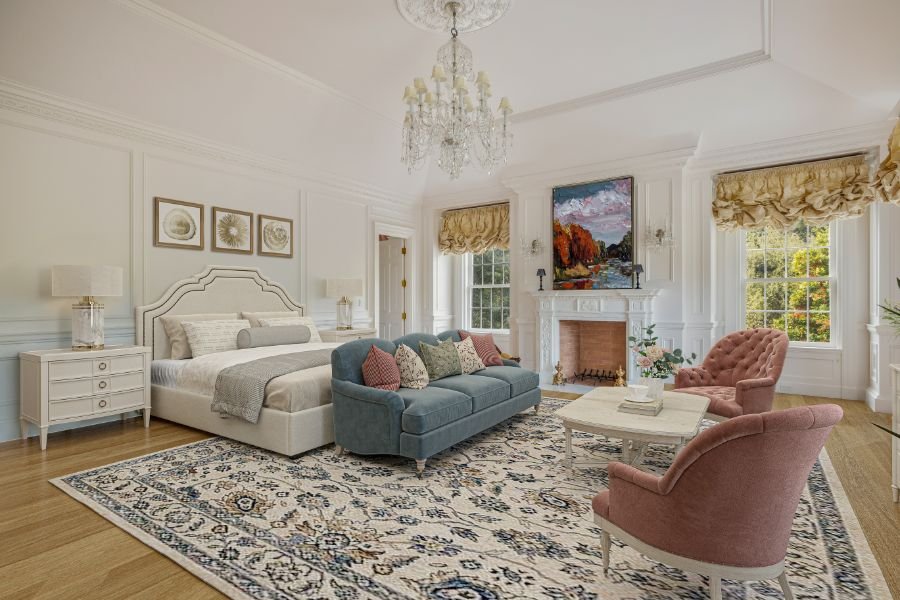
Primary sleep setup from the Rosewood room index; bedding requests travel with the local hold.

Primary marble bath. Confirm exact bath assignment in the guest hub before arrival.
Best for up to 2 guests with luggage and linen routing tied to Primary Suite.
Private by default; admin release required. Admin approval releases room, keys, WiFi, and bedding instructions.
Fit before request
A quick read on guest fit, access effort, privacy, sound, and setup items to confirm before sending the local hold into admin review.
Fireplace bedroom. Best planned for up to 2 guests before admin release.
Upper private wing. Confirm the stair, elevator, and luggage route with house ops before guests arrive.
Good default for bedroom privacy; keep service routing and neighboring-room context in the guest hub.
Private release control plus primary marble bath should be confirmed before the local hold is released.
If any fit item feels uncertain, keep the hold pending and ask Rosewood before releasing gate, keys, WiFi, or room handoff.
Suite itinerary
A guest-facing plan for requesting the suite, arriving at Rosewood, settling into the room, and using the in-house hub.
Request Primary Suite, choose dates, and keep the local hold pending until admin review.
Use the private gate at 500 St. Cloud Rd, Los Angeles, CA 90077; pause for keys before luggage moves upstairs.
Upper private wing / 1 king / up to 2 guests. Use the room name for linens and bath setup.
Private release control plus house requests stay in the guest hub.
Private by default; admin release required. Every hold stays local until a passkey admin approves the stay packet.
Guest confidence
Not public reviews yet: this is Rosewood’s internal read on photos, readiness, admin review, and the room-index notes that help someone choose the right suite.
Private by default; admin release required. Keep it visible for planning, then release from admin.
Listing and house-thread images are attached to the suite so guests can inspect the room before asking.
Every request lands in admin before gate, keys, WiFi, or room handoff leaves the house team.
The main suite: white bedroom, fireplace, dressing room, and marble bath.
Rosewood room indexFireplace bedroom. Private release control stays paired with the hold.
House setup cueReview-style readbacks
Internal Rosewood readbacks shaped like guest reviews, sourced from the room index, photos, and setup notes before any public review program exists.
5 attached views and 4 source refs keep the room easy to inspect.
Upper private wing; use the room name for luggage, linens, bath setup, and arrival routing.
Fireplace bedroom. Planned for up to 2 guests.
Private by default; admin release required.. Private release control remains attached to the local hold.
The main suite: white bedroom, fireplace, dressing room, and marble bath.
Private by default; admin release required. Private release control and primary dressing room stay connected to the handoff.
Mapped from Rooms R-023 through R-025.
What this suite offers
A guest-facing read of the things that matter before someone asks to hold Primary Suite: sleep, bath, network, release, and the room-specific setup trail.
WiFi, guest hub, and house-agent routing stay attached to this suite before arrival.
Primary marble bath. Up to 2 guests can be planned against this room.
Bath assignment, linens, and room service notes stay visible for the house team.
Private by default; admin release required. Private release stays attached until admin review changes the release path.
Room refs RB-24, RB-25, RB-26, RB-27 are tied to the local Rosewood photo set.
Primary Bedroom / White Suite Bedroom. Use this location when routing luggage, lighting, and setup asks.
Where you'll arrive
Use this before leaving for Rosewood: maps open to the St. Cloud address, and the in-house hub takes over once the gate, WiFi, keys, and room handoff are ready.

Use this address for rideshare, navigation, and house-manager arrival notes.
Arrival starts at the private St. Cloud gate, then moves through the portico and foyer.
Upper private wing. Keep the Rosewood suite name attached to luggage, linens, and bath setup.
Guest hub carries WiFi QR, house requests, room names, and live setup notes once inside.
Arrival starts at the St. Cloud gate, then moves through the portico and foyer.
Use the Rosewood room name when asking for linens, bath setup, or service routing.
WiFi QR, house requests, room names, and setup notes live in the in-house hub.
Before you request
Rosewood keeps room requests lightweight: choose dates, save a local hold, then wait for admin review before gate, keys, WiFi, and house instructions are released.
Private release stay request. Admin review is still required before arrival details are released.
Private by default; admin release required. Requests stay pending until a passkey admin approves access.
Best planned for up to 2 guests using 1 king.
WiFi, linens, lighting, bath setup, and house-manager notes move through the guest hub.
This page is a local Rosewood request flow. Admin approval is the source of truth for guest access, service readiness, and room release.
Things to know
The suite stays lightweight like Airbnb, but Rosewood keeps access, cancellation, and property notes tied to passkey admin review.
Dates save a local hold only. Arrival time, keys, and house-manager handoff are confirmed after passkey admin review.
Private releasePrivate by default; admin release required. Gate, room routing, WiFi QR, and key instructions stay inside admin until approval.
Private estateChanging or canceling a hold stays manual while Rosewood is local-only; admin can decline, block, or reopen the request.
Manual reviewMapped from Rooms R-023 through R-025. Setup notes remain visible so guests and house ops do not lose room-specific context.
Room indexHouse rules
Suite guide stays ready for guest and house-manager handoff.
Arrival window, gate, keys, and house-manager handoff are confirmed after review.
Use the guest hub first for WiFi, house requests, room names, and setup notes.
Every local hold stays passkey-reviewed before guest instructions are released.
Use the room name when asking for linens, bath setup, luggage, lighting, or shades.
Availability
Postgres unavailable; showing an empty local fallback.
Ask for bedding, bath assignment, WiFi, lighting, gate arrival, or anything that should become a Rosewood setup task.